
Integration Options
Paydify offers multiple Payin integration options: Checkout Page (CKP), Deeplink, and QRCode. Pick based on your product and engineering constraints.
| Option | Scenario | UX | Effort | Platforms |
|---|---|---|---|---|
| Checkout Page (CKP) | Redirect buyers to Paydify hosted checkout; they pick a wallet and complete payment.
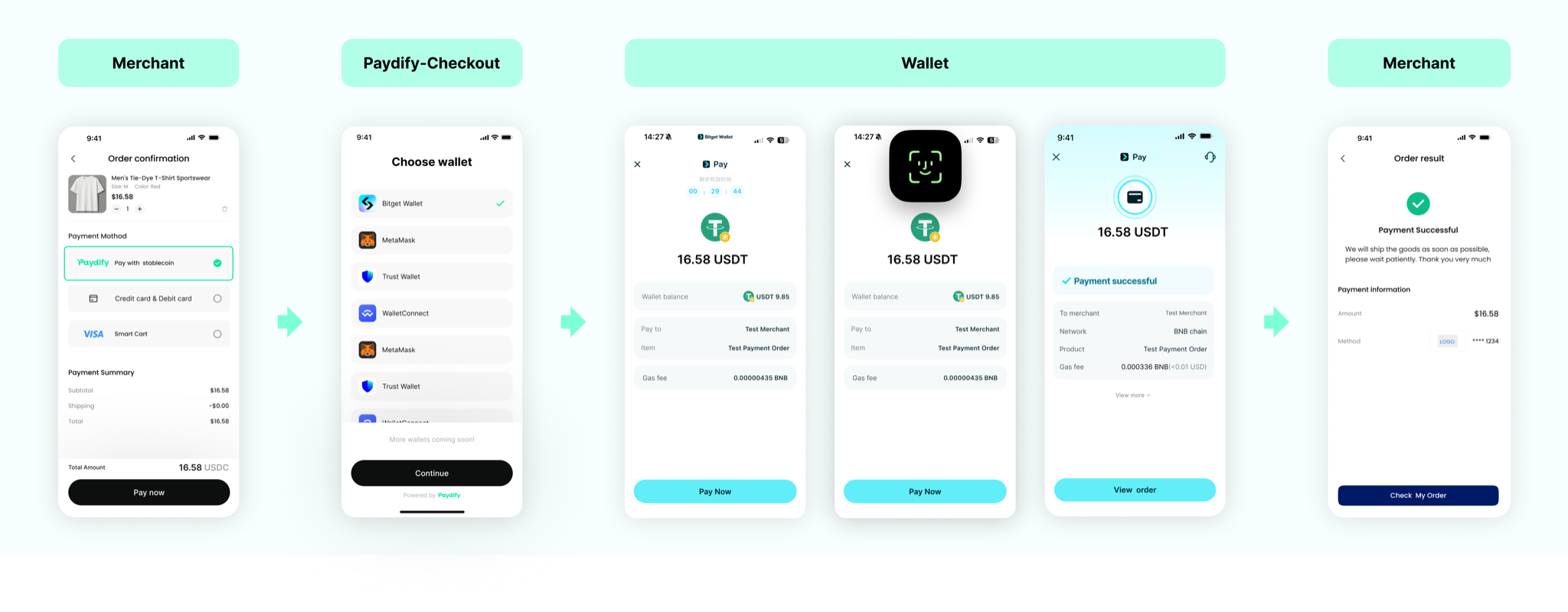 | Good | Low | Mobile WAP, App |
| Deeplink | Customize payment methods on your order page; jump to the wallet via Deeplink from createPayment.
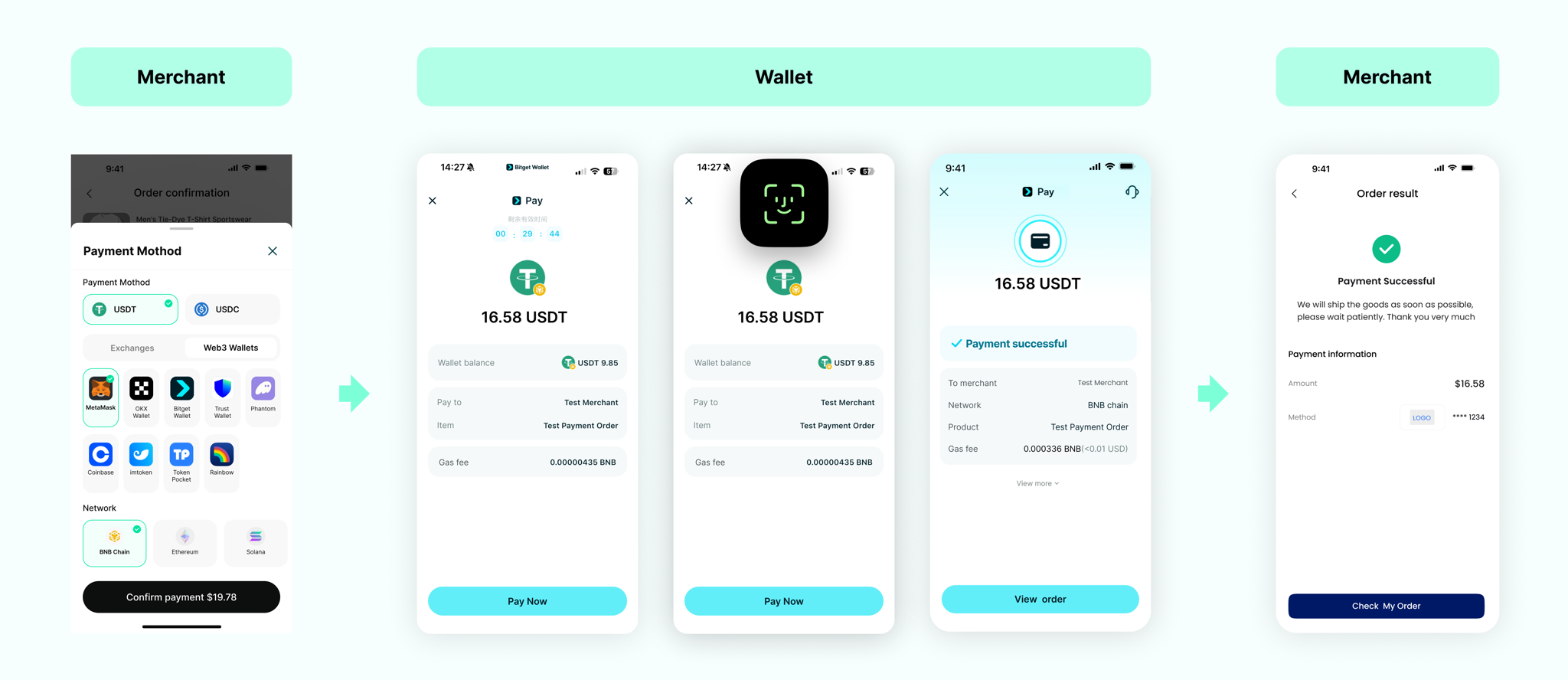 | Best | Low | Mobile WAP, App |
| QRCode | For PC: render qrCode as QR on your page; users scan with phone wallet to pay.
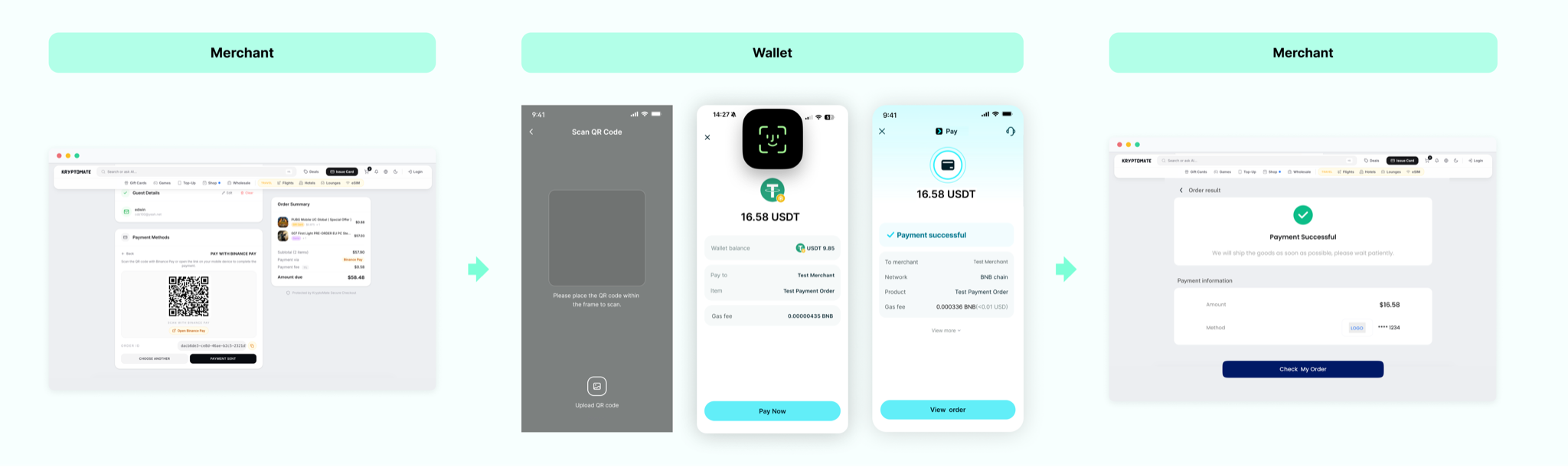 | Good | Low | Web (PC) |
Checkout Page (CKP)
Redirect buyers to Paydify hosted checkout; they pick a wallet and pay.
Deeplink
Customize payment methods on your order page; open the wallet via Deeplink from createPayment.
See Deeplink integration.
QRCode
For PC: render qrCode as QR; users scan with a mobile wallet.
See QRCode integration.